User logs

All guides

User logs

See every sign-in attempt — the evidence you need before turning on any restriction.
Find it at User Logs
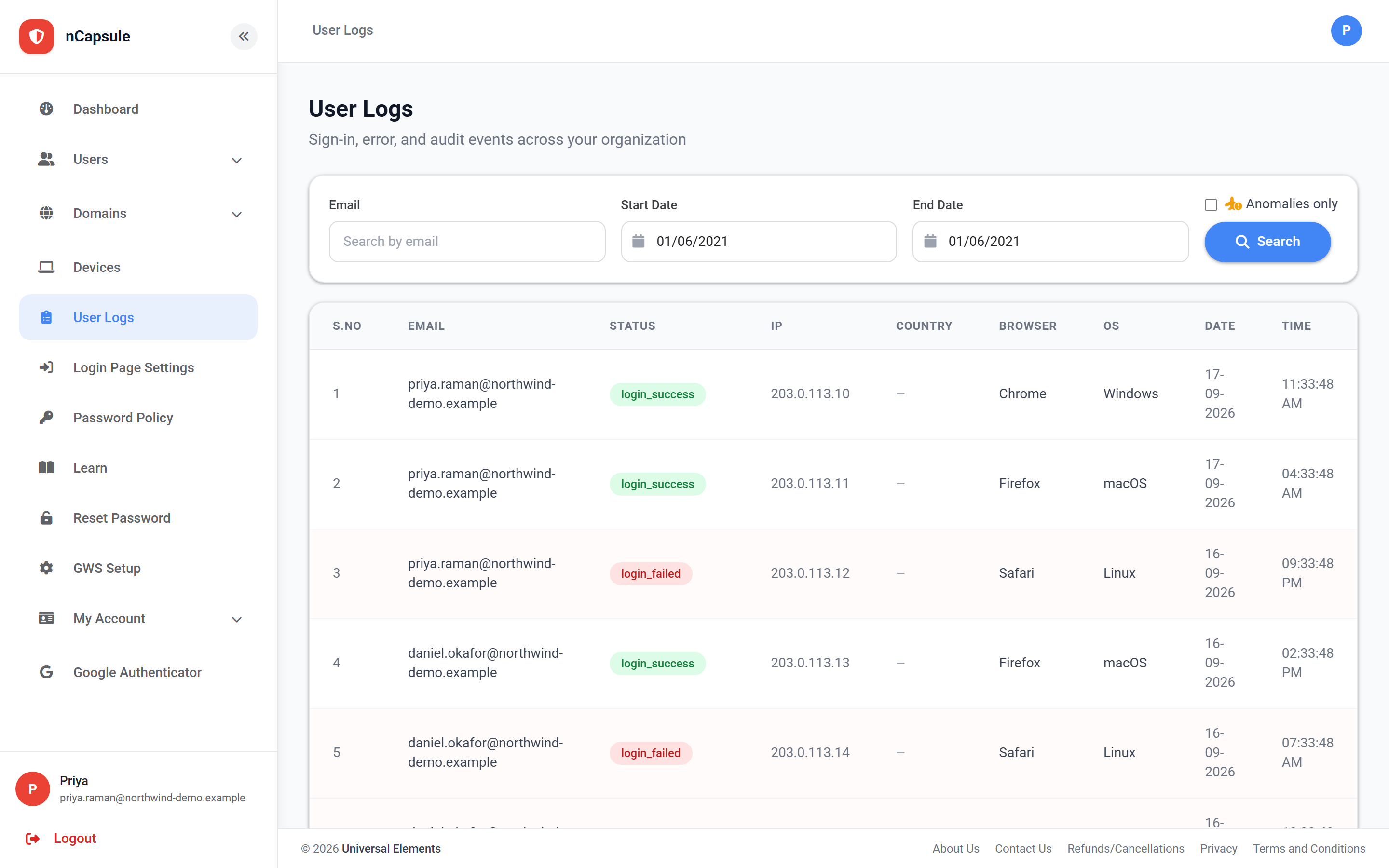
User logs in nCapsule View full size

Every sign-in attempt is recorded with its result, the address it came from and which check stopped it, if any. This is the page that tells you whether a restriction is safe to enforce.

What each row shows
Email
Who attempted to sign in.
Status
What happened — see the statuses below.
IP
The address they came from. Useful for spotting attempts that are not theirs.
Country
Resolved from the address. Blank means it could not be determined.
Browser / OS
What they signed in from. A sudden change is worth a second look.
Date / Time
When the attempt happened, for spotting out-of-hours patterns.

The status is the part worth learning. It names which check stopped an attempt, so you can tell a wrong password apart from a rule doing its job — and tell a rule doing its job apart from a rule that is too strict.

Statuses you will see
login_success / login_fail
An ordinary sign-in, or a wrong password. Repeated failures lead to a suspension.
geo_auth_failed
Refused by geo-fencing — the country was blocked, or not in the allowed list.
network_auth_failed
Refused by IP restriction — the address was outside your network masks.
device_auth_failed
Refused by browser restriction — signing in from an unregistered browser.
mobile_auth_failed
Refused because mobile access is off for that user.
login_hours_denied
Refused by the sign-in schedule. Only appears once you enforce.
login_hours_observed
Outside the schedule but ALLOWED — the observe-mode entry. These are what you read before deciding to enforce.
travel_anomaly
A sign-in too far from the previous one to be real travel.
travel_stepup_required / travel_stepup_success
An anomalous sign-in was challenged for an authenticator code, and whether it passed.
The habit worth forming
  1. 1 Switch a new restriction on in its observe mode (Log only).
  2. 2 Leave it a week, then filter these logs for that check's observed status.
  3. 3 If every entry is one you would be happy to refuse, switch to enforcing.
  4. 4 If real staff appear in that list, widen the rule before you enforce it.
Reading a lockout report

When someone says they cannot sign in, this page tells you why in one look: a wrong password shows login_fail, while a rule shows the specific check that stopped them. That difference decides whether you reset a password or adjust a setting.

Failures from an unfamiliar address
Repeated login_fail entries from an address the person does not recognise mean someone is working through passwords against that account. Change the password rather than simply restoring access.
Why observe first

Every restriction here ships in observe mode for the same reason: the cost of a wrong rule is a person who cannot work, and these logs are how you find that out before it happens rather than afterwards.

The filter bar. "Anomalies only" narrows the list to the entries worth reviewing before you enforce a rule. View full size
The filter bar. "Anomalies only" narrows the list to the entries worth reviewing before you enforce a rule.