Connecting Google Workspace or Microsoft 365
The one-time setup that lets your people sign in through nCapsule.
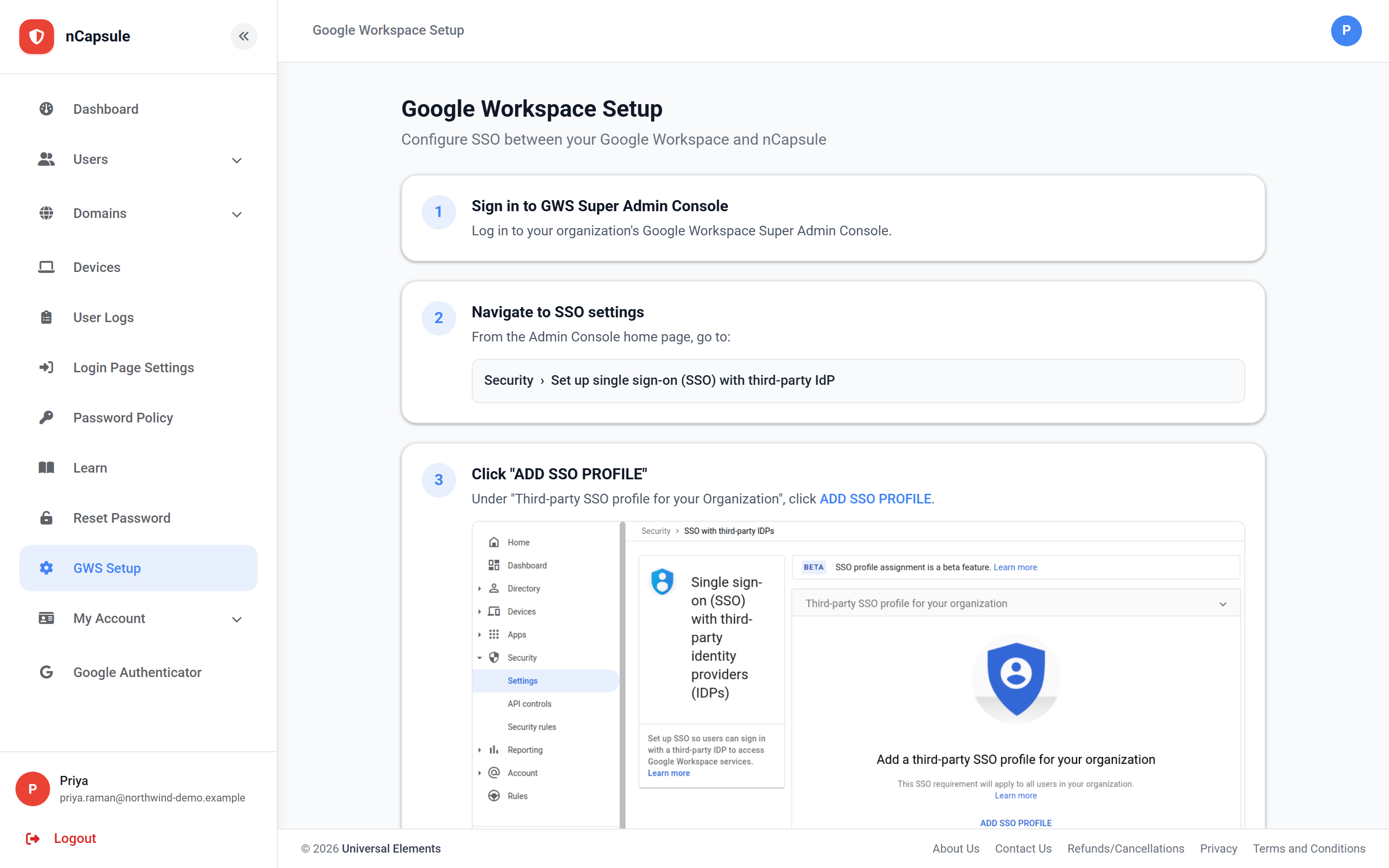 View full size
This is the one-time connection between your identity provider and nCapsule. It sets up single sign-on, so your people authenticate through nCapsule and all the sign-in rules — geo-fencing, hours, travel detection — apply to them.
Which page you see depends on the provider set for your primary domain, and the two are genuinely different processes rather than the same steps with different branding. The screenshot above is the Google Workspace flow.
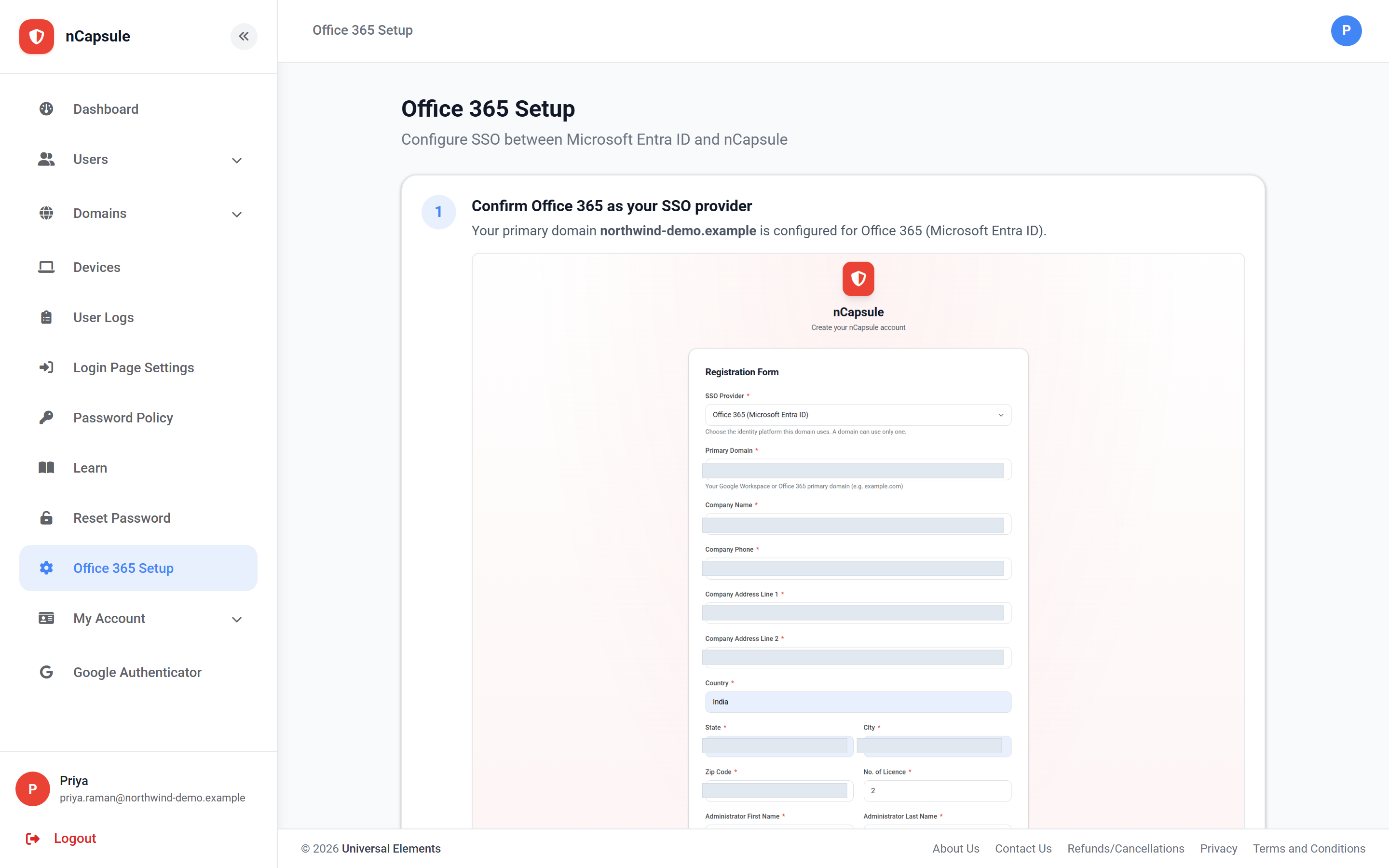 View full size
The steps happen in your Google Workspace Super Admin Console or your Microsoft 365 admin centre, not in nCapsule. For Office 365 you need a Global Administrator account specifically, since it grants consent on behalf of the tenant.
Connecting the directory does not by itself create the user records. Once this is done, use Users → Sync Users to bring them in.
- 1 Confirm which provider your primary domain is set to — the page follows that.
- 2 Have admin access to the other system: a Google Super Admin, or a Microsoft 365 Global Administrator.
- 3 Work through the numbered steps on the page, which shows exactly what to paste where.
- 4 Test with one account end to end before telling the organisation.