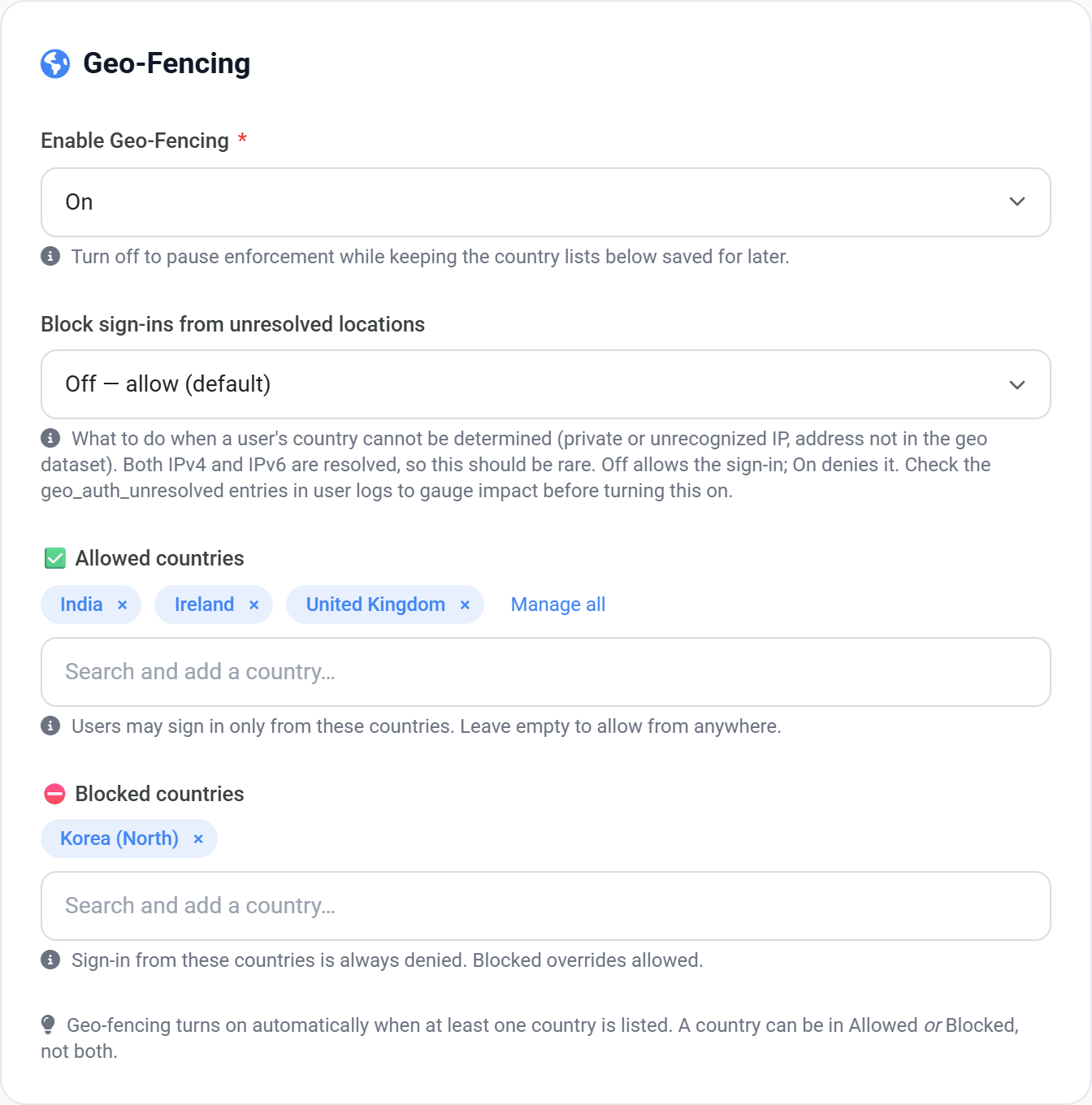
Geo-fencing checks the country a sign-in is coming from and refuses the ones you have not allowed. A stolen password is far less useful to someone in a country you never operate in.
The two lists
Allowed countries
Sign-ins are permitted only from these. Leave empty to allow anywhere except the blocked list.
Blocked countries
Never permitted, even if the same country is also in the allowed list. Blocking always wins.
View full size
Search for a country and it is added as a chip. Both lists work the same way.
When the country cannot be determined
Allow the sign-in
The safe default. Some addresses cannot be resolved to a country — private networks, unusual ISPs.
Refuse the sign-in
Stricter. Turn this on only after checking User Logs for how often it actually happens.
Check the logs before you enforce
Travelling staff and VPNs both look like foreign sign-ins. Look at User Logs for a week before switching on a tight allow list, or you will lock out the person on a business trip.
Different rules for different teams
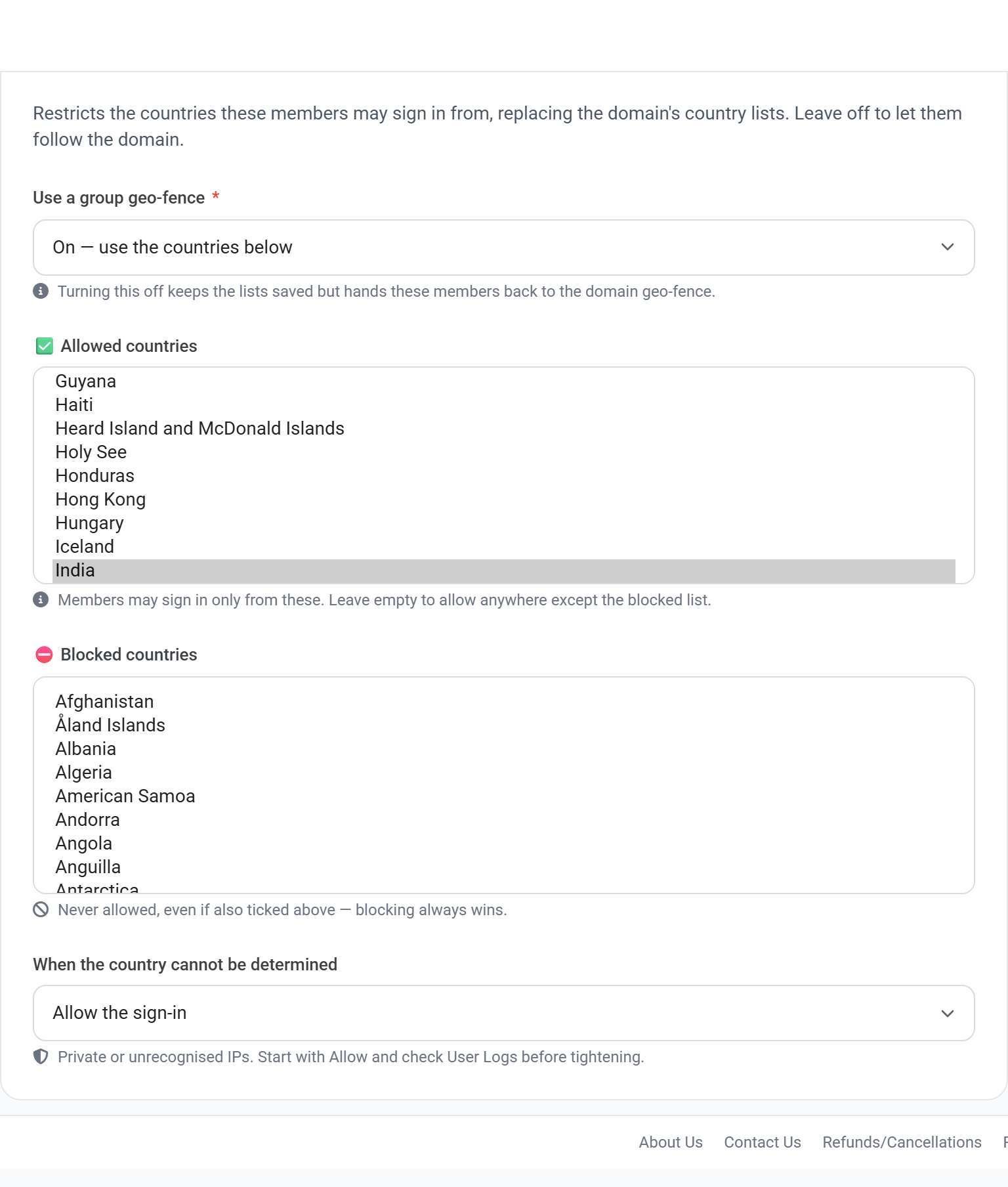
A domain holds one country list. If one team needs a different one, put them in a group and set the list there instead.
Setting the policy above is only the first of three steps. The policy says WHAT the rule is; a user is only covered once they are opted in, and a group is how you opt in a whole team at once.
Applying it to people
1Set the policy on the domain, using the page above.
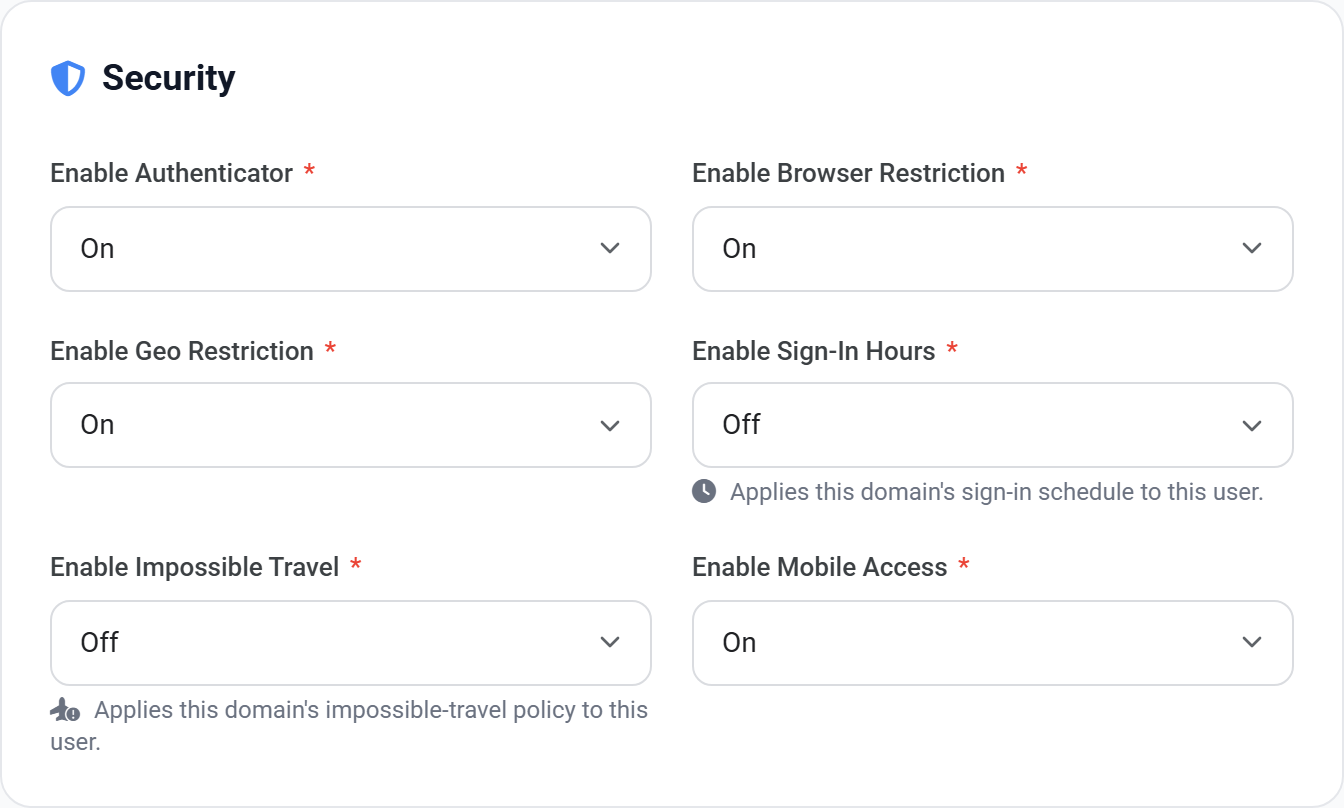
2For one person: open their user record and set Geo Restriction to On.
3For a team: put them in a group, and set the country lists on the group instead.
4Leave the action on its observe setting, then check User Logs before enforcing.
View full size
The Security block on a user record. Geo Restriction is the switch that puts this person under the policy — without it, the domain setting does not reach them.
View full size
The same control on a group. Use this when a team needs a different country list from the rest of the domain.
 View full size
 View full size
 View full size
 View full size