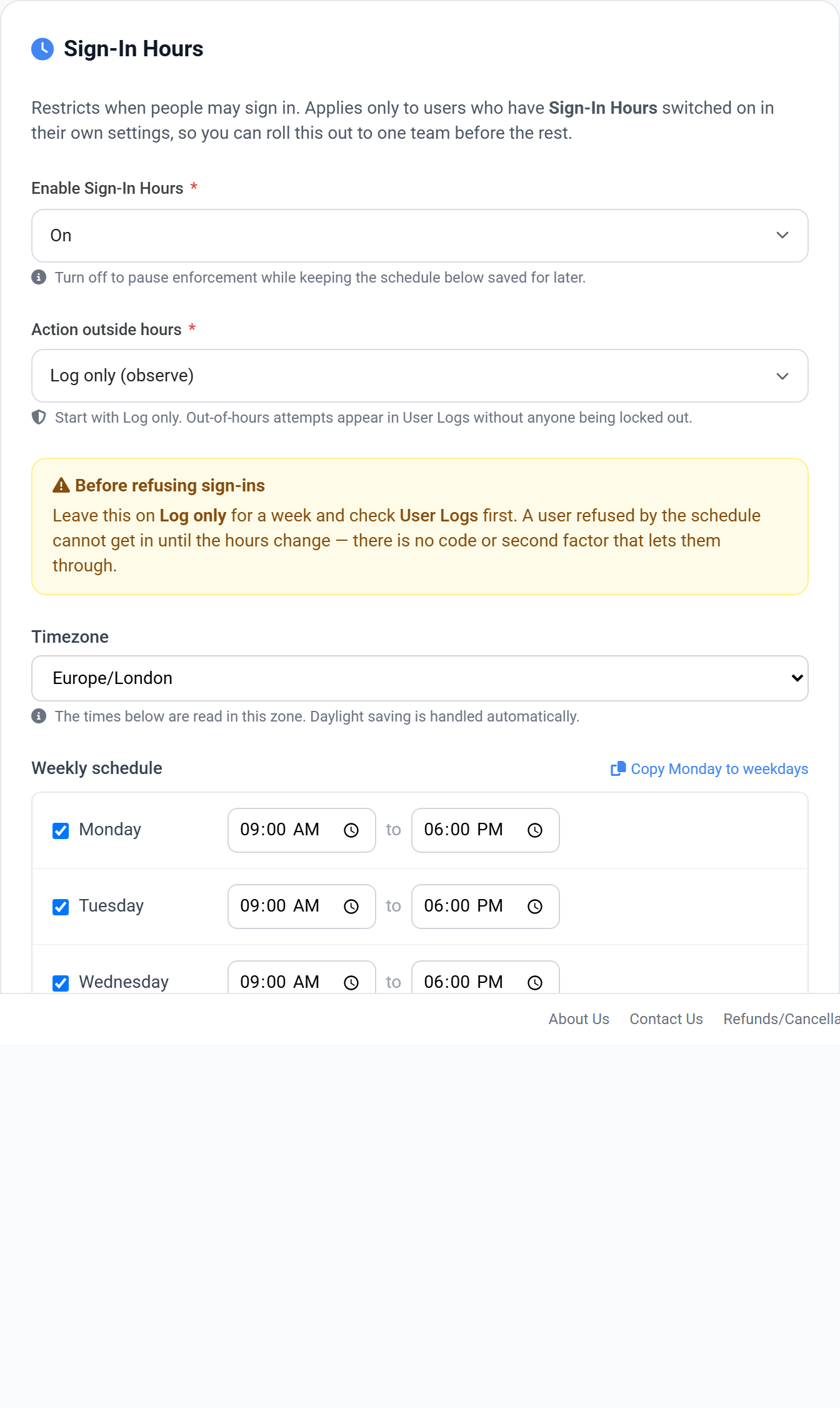
A schedule of the hours when signing in is expected. An attempt outside those hours is either logged or refused, depending on how you set it.
Action outside hours
Log only (observe)
Out-of-hours attempts appear in User Logs but still succeed. Start here.
Refuse the sign-in
The attempt is rejected. Only switch to this once the logs look as you expect.
There is no way back in
Someone refused by the schedule cannot get in until the hours change — no code, no second factor. This is why it ships on Log only. Leave it there for a week and read User Logs before enforcing.
Setting the schedule
1Pick the timezone first. The right hours in the wrong zone is the easiest way to lock a team out.
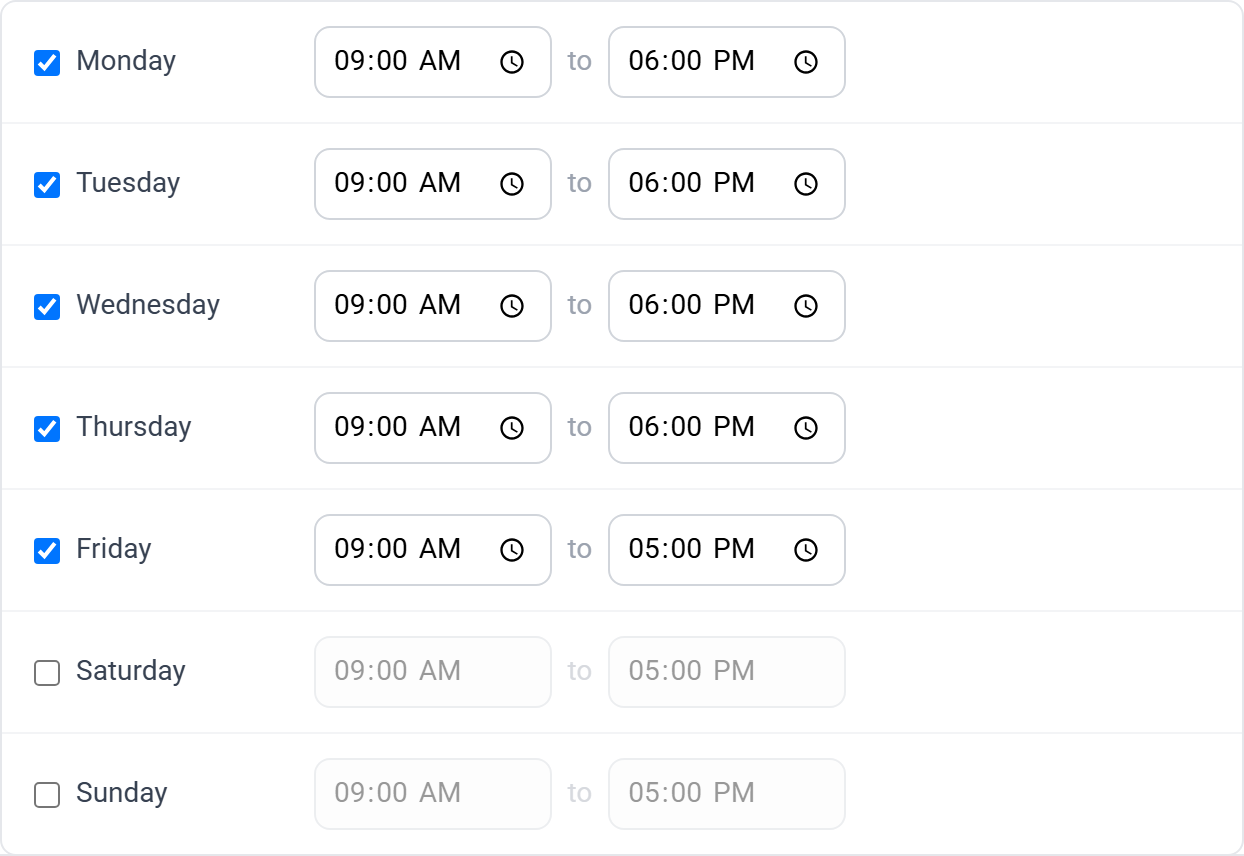
2Untick any day that should be closed entirely.
3Set a start and end time for each open day, or use Copy Monday to weekdays.
View full size
The weekly schedule. An end time earlier than the start crosses midnight — that is how you set a night shift, such as 22:00 to 06:00.
Daylight saving is handled for you
The timezone is a real zone name, not a fixed offset, so the schedule follows clock changes without you editing it.
Setting the policy above is only the first of three steps. The policy says WHAT the rule is; a user is only covered once they are opted in, and a group is how you opt in a whole team at once.
Applying it to people
1Set the policy on the domain, using the page above.
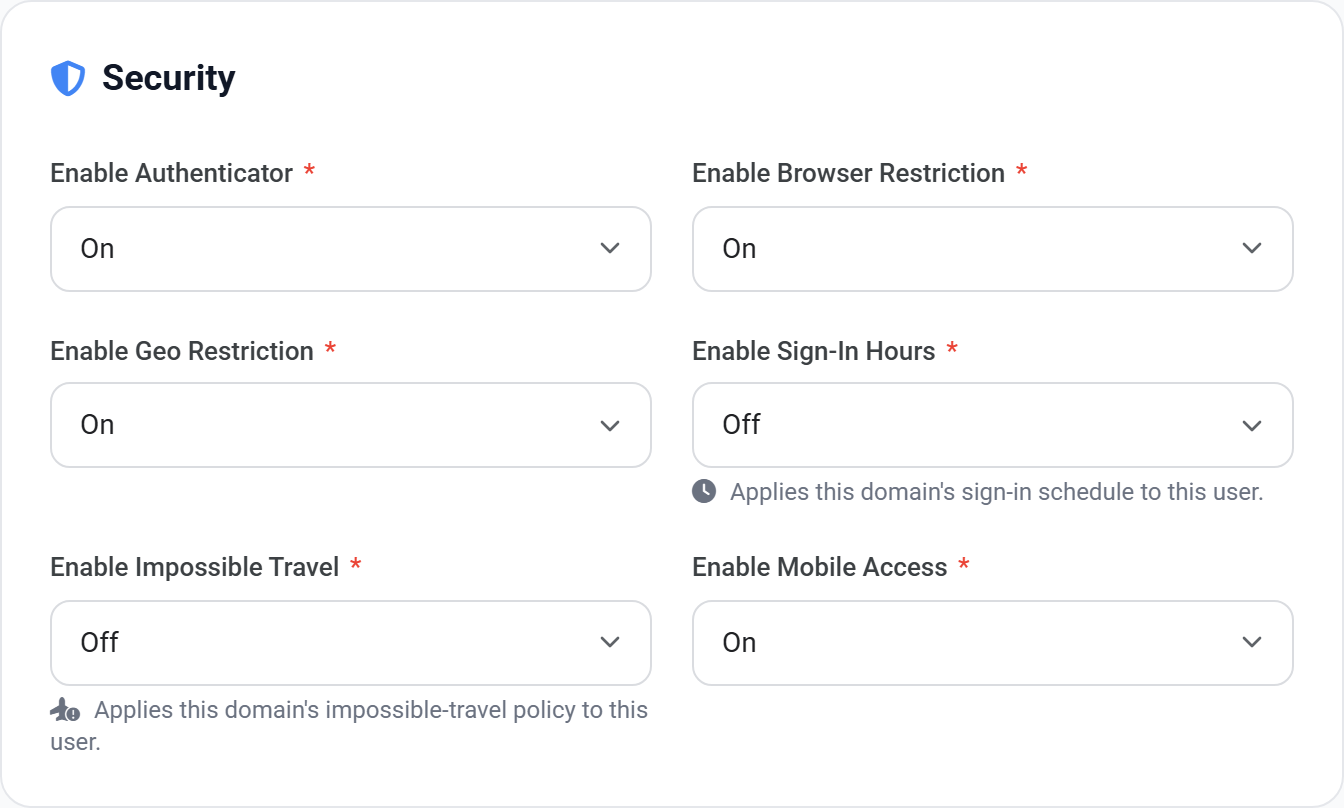
2For one person: open their user record and set Sign-In Hours to On.
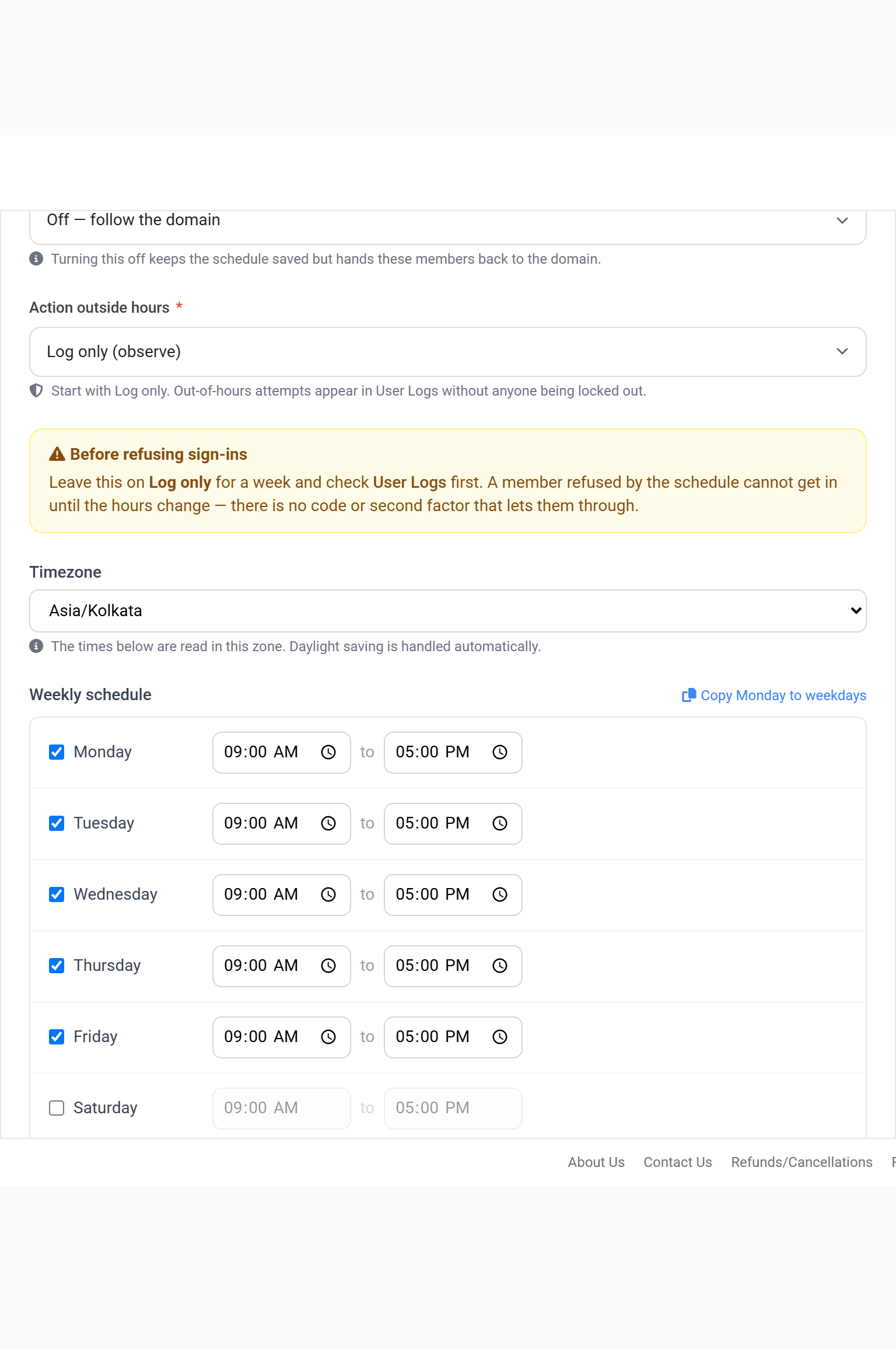
3For a team: put them in a group, and set the schedule on the group instead.
4Leave the action on its observe setting, then check User Logs before enforcing.
View full size
The Security block on a user record. Sign-In Hours is the switch that puts this person under the policy — without it, the domain setting does not reach them.
View full size
The same control on a group. Use this when a team needs a different schedule, such as a night shift from the rest of the domain.
 View full size
 View full size
 View full size
 View full size