Impossible travel
Catch sign-ins from two places too far apart to be the same person.
 View full size
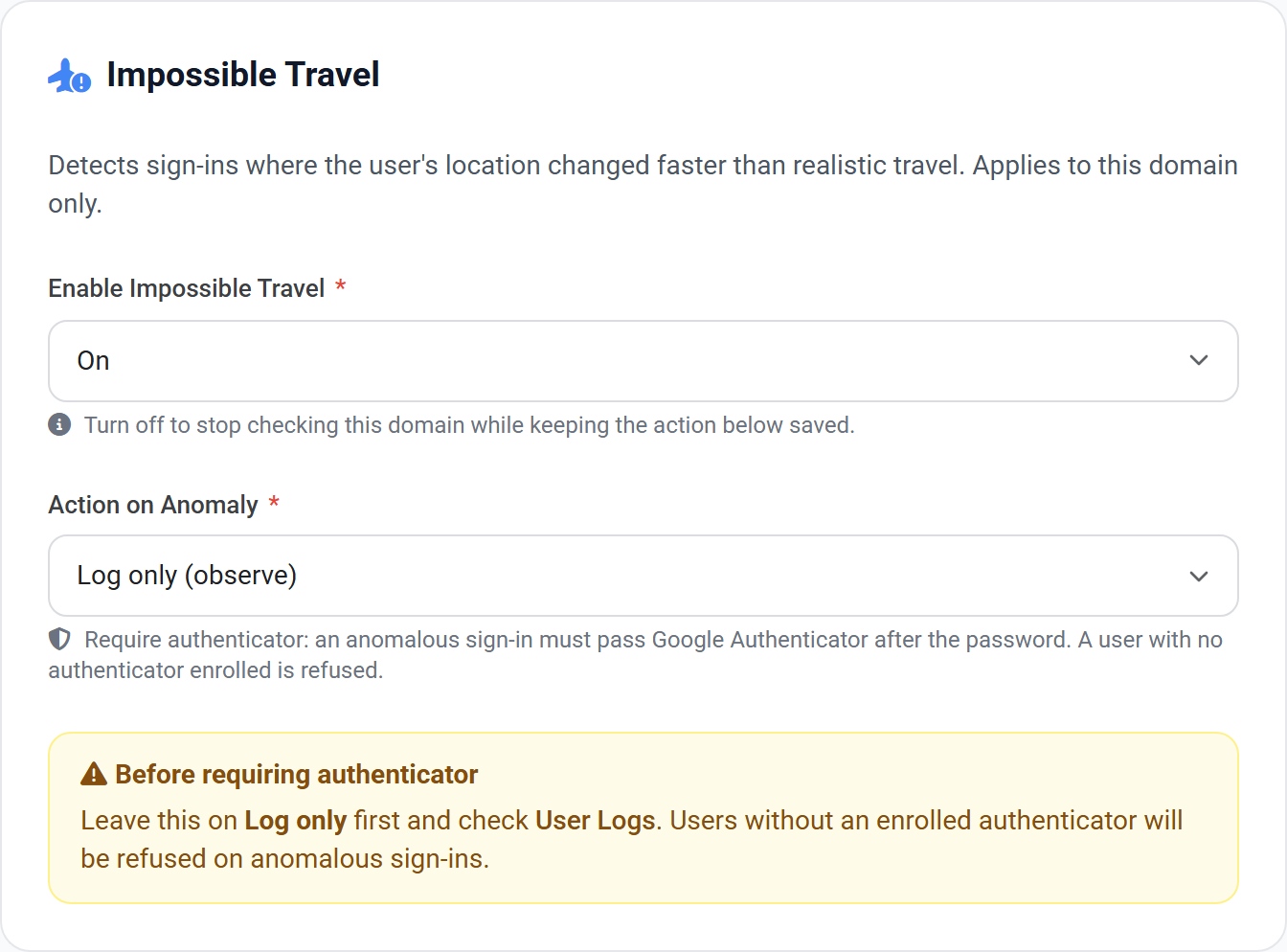
Each sign-in is compared with the previous one. If the distance between them could not be covered in the time that passed — a sign-in in London an hour after one in Singapore — that is flagged as an anomaly. It is one of the clearest signals a password has been stolen, because the real user and the attacker are signing in from different places.
- 1 Turn detection on with the action left on Log only.
- 2 Leave it a week, then look in User Logs for travel_anomaly entries.
- 3 Check that anyone flagged is enrolled in Google Authenticator.
- 4 Only then switch the action to Require Google Authenticator.
The check needs both a long distance and a speed no flight could manage. A sign-in in London two hours after one in Delhi is impossible; the same pair three days apart is not. Moving around on one journey will not trigger it.
There is nothing to measure a brand-new account against, so the check starts protecting someone from their second sign-in onward.
Location from an IP address is approximate, so the check only flags journeys that are clearly impossible rather than merely fast. VPNs are the usual cause of a false alarm, which is another reason to observe before enforcing.
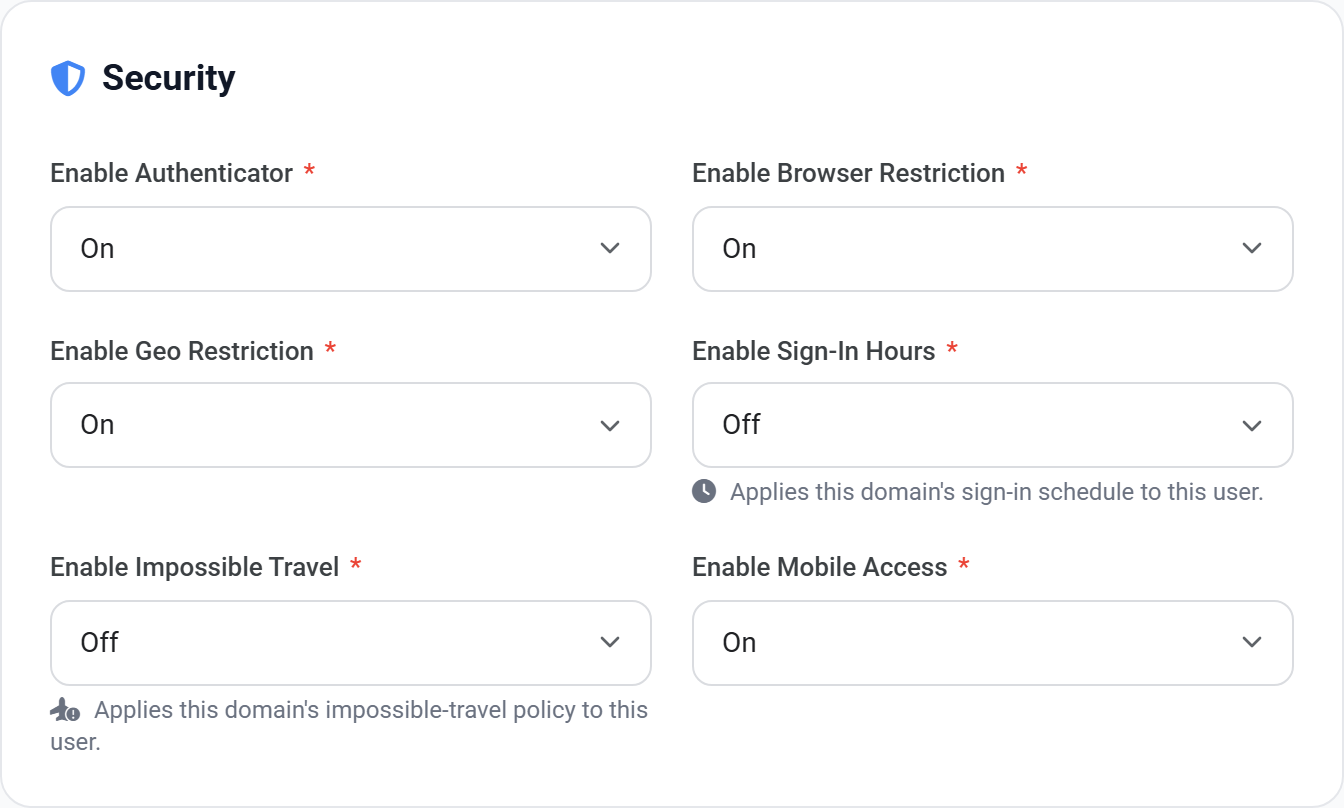
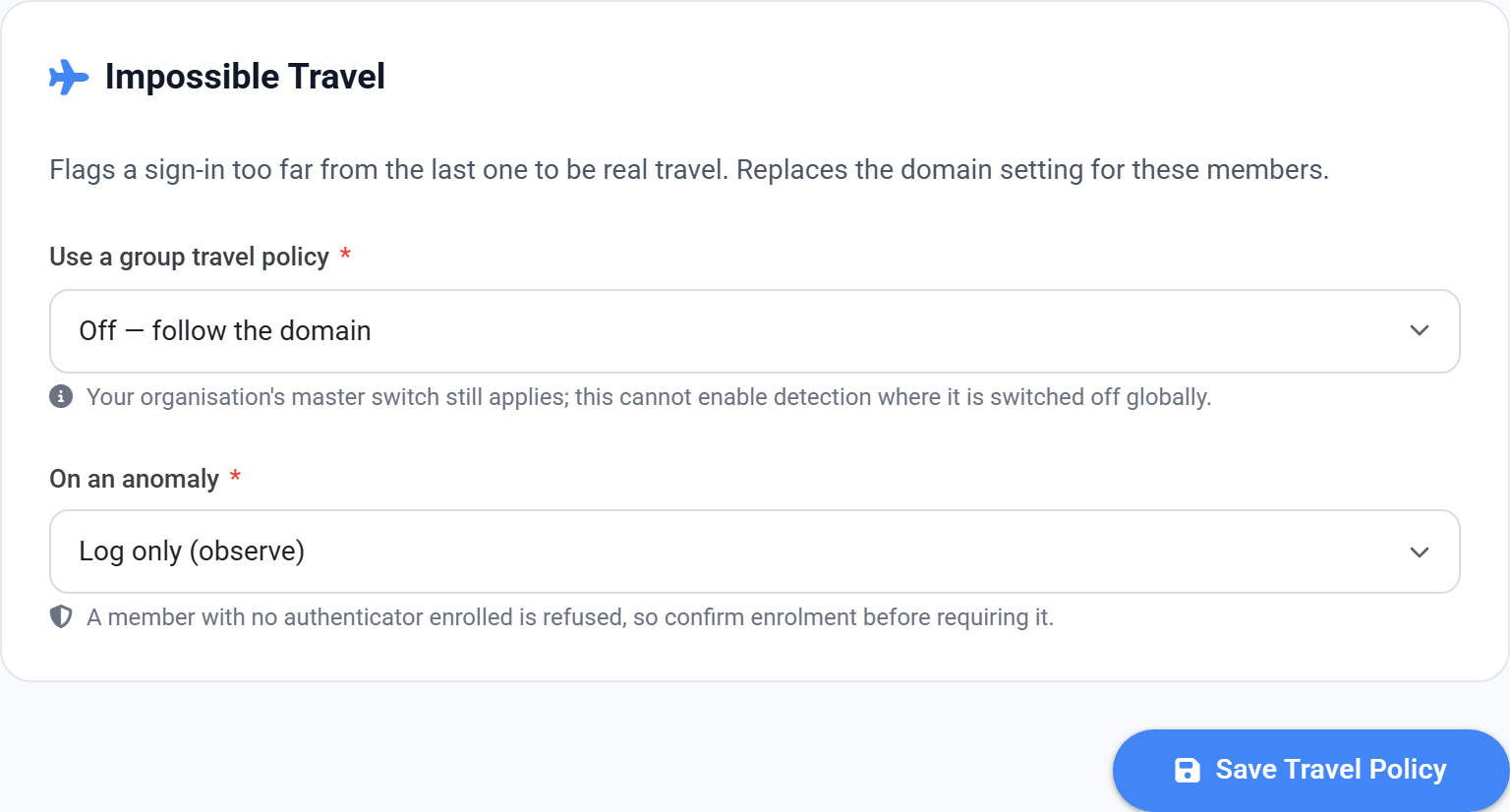
Setting the policy above is only the first of three steps. The policy says WHAT the rule is; a user is only covered once they are opted in, and a group is how you opt in a whole team at once.
- 1 Set the policy on the domain, using the page above.
- 2 For one person: open their user record and set Impossible Travel to On.
- 3 For a team: put them in a group, and set the policy on the group instead.
- 4 Leave the action on its observe setting, then check User Logs before enforcing.
 View full size
 View full size